
Latest Updates: How to Customize and Edit WhatsApp Group Chat Member Tags
-
Rida Shahid
-
- Published January 8, 2026
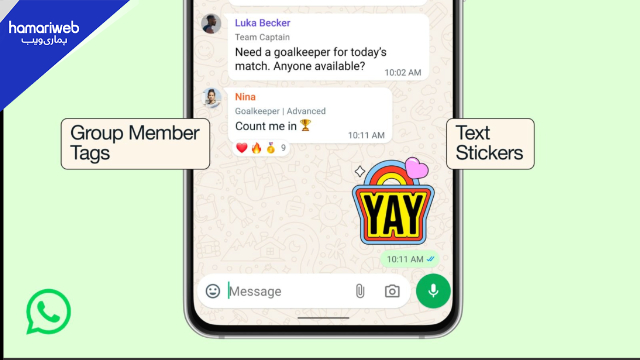
WhatsApp just updated group chats with a feature that changes how we identify participants. The new “Member Tag” allows users to set custom roles within specific groups. This update simplifies communication in large communities by showing exactly who is who directly beneath their name in the chat bubbles.
What is Add Member Tag in WhatsApp Group?
The Group member tag WhatsApp feature is a short text label. It appears under your name in a specific group chat. You can write up to 30 characters to describe your role. For instance, tag yourself as “Lead Editor” in office group. This label only shows in that specific group. It helps people identify your role without saving your phone number.
How to Remove Add Member Tag in WhatsApp Group
You might decide you want a cleaner look. It is very easy to manage. To remove Add member tag in WhatsApp group, open the group info screen. Tap your name in the participant list. You will see your current tag there. Simply delete the text and hit save. The tag disappears instantly from the chat.
Managing WhatsApp Group Chat Member Tags
These whatsapp group chat member tags are entirely self-assigned. You do not need admin permission to set or change one. It makes large school or community groups much less confusing. Every member can now clarify their position. This update also includes new text stickers and better event reminders.
The rollout is live across Pakistan and globally today. Check your group settings to see if you can add yours now.
Rida Shahid
Rida Shahid is a content writer with expertise in publishing news articles with strong academic background in Political Science. She is imaginative, diligent, and well-versed in research techniques. Her essay displays her analytical style quite well. She is currently employed as English content writer at hamariweb.com.






Leave a Reply